

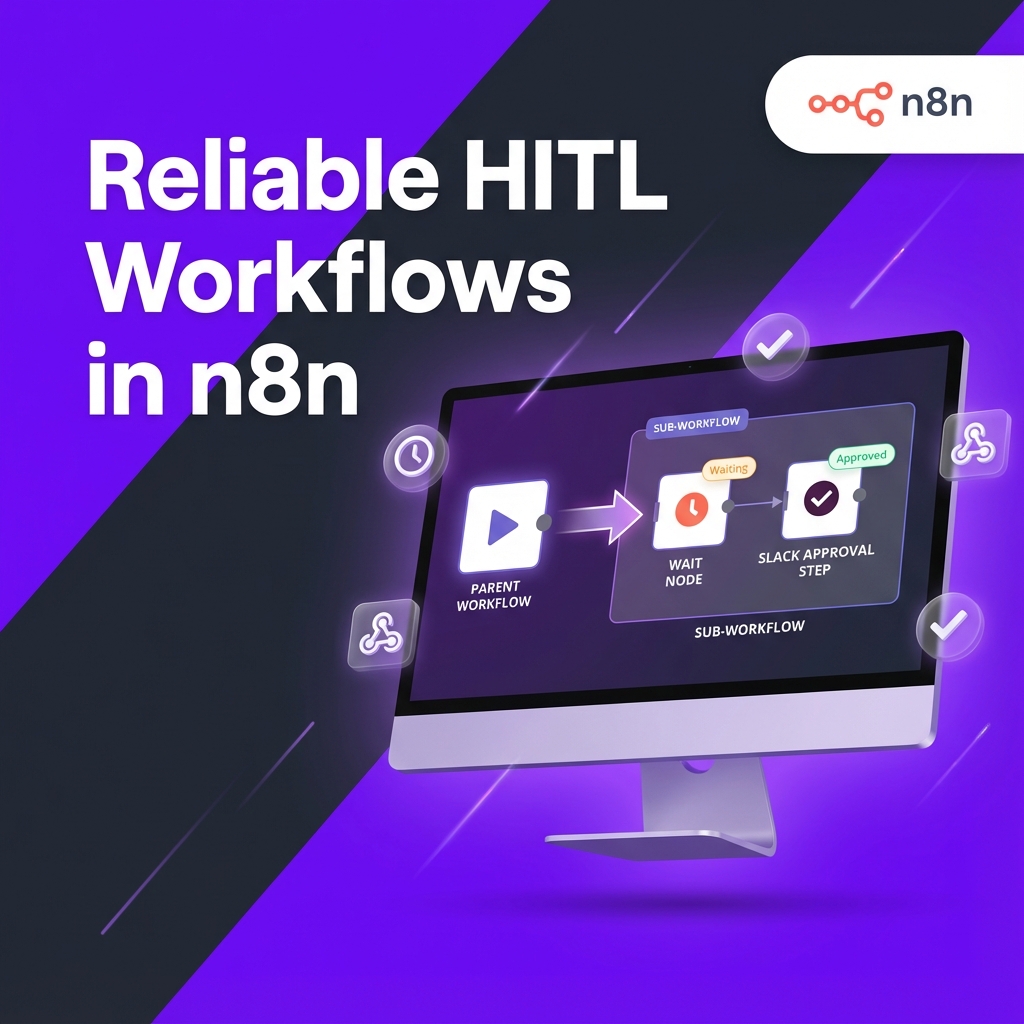
Safer n8n sub-workflows with the v2.0 Wait node fix
Long-running and human-reviewed workflows in n8n just became much easier to trust.
At nocodecreative.io, we run and design n8n estates for clients who rely on human approvals, webhook callbacks, and AI agents acting on live production data. The n8n v2.0 change to how Wait nodes behave inside sub-workflows quietly fixes one of the nastier edge cases in that world, and it also opens the door to much cleaner architectures for AI and automation.
This guide explains what actually changed, why it mattered, and how to use the new behaviour to build robust Human-in-the-Loop (HITL) and agentic patterns without brittle workarounds.
Why Wait nodes inside sub-workflows used to be risky
In n8n, the Wait node lets you pause a workflow, offload its state to the database, and then resume when a condition is met. That condition might be a time interval, a specific timestamp, an incoming webhook, or a form submission.
When a workflow hits a Wait node with a longer delay or an external trigger, n8n serialises the execution and stores it. The process can safely stop, and when the Wait condition is satisfied, n8n reloads the execution and carries on from that node. This behaviour is exactly what you want in a standalone workflow. The trouble started when you wrapped that logic in a sub-workflow.
How Wait nodes work in n8n
From the engine’s perspective, a Wait node has two key modes:
- Short waits (under ~65 seconds):
In this case, n8n keeps the execution in memory and simply sleeps until the time is up. It acts synchronously. - Long waits or external events:
Where the workflow must resume in the future (minutes, hours, days). For these, n8n offloads the execution to the database so it can be resumed by a later worker process when the condition is met.
The Wait node supports several operations, such as waiting for a time interval, a specific date, a webhook call (using $execution.resumeUrl), or a form submission. Additionally, some app nodes like Slack act as "embedded Waits" via operations like “Send and Wait for Approval”.
In a simple, single workflow, this all works nicely. But in n8n v1, there was a subtle bug when you ran this pattern inside a sub-workflow.
What actually happened in v1: parents resumed with stale data
The "Parent Confusion" Bug
The bug was specific and nasty. If your parent workflow used Execute Sub-workflow with “Wait for Sub-Workflow Completion” switched on, and the child workflow entered a "waiting" state (long timeout, webhook, form, etc.):
The parent workflow behaved as if the child had finished immediately.
Instead of pausing until the child resumed, the parent received the input data that went into the sub-workflow, not the eventual result after the human approval or webhook callback.
In other words:
- Nodes after the Wait in the sub-workflow ran later, when the Wait resumed.
- The parent had already moved on, carrying stale state.
If you used that pattern to gate outbound emails, payments, or high-risk changes, you had a very real chance of the parent continuing as if everything was fine while a human was still reviewing, or even rejecting, the action. Teams often ended up with messy workarounds: storing their own state in databases, polling for completion, or avoiding sub-workflows entirely.
What changed in n8n v2.0 for Wait and sub-workflows
n8n v2.0 fixes the core problem. The engine now treats sub-workflows with Wait-style behaviour the way most people assumed they worked from the beginning.
"Return expected sub-workflow data when the sub-workflow resumes from waiting (waiting for webhook, forms, HITL, etc.)."
New Execute Sub-workflow semantics
The Execute Sub-workflow node has an option called “Wait for Sub-Workflow Completion”. When this is turned on in v2.0:
- If the sub-workflow runs straight through, the parent continues as before.
- If the sub-workflow hits a Wait-style operation, the parent execution pauses and stays paused.
- Only when the sub-workflow resumes and completes does the parent receive the final output.
- That output represents the true last node(s) of the child.
For AI agent patterns, this is especially important. HITL (Human-in-the-Loop) steps that live in sub-workflows can now safely pause an agent-run parent workflow and only return a result once the human decision is known.
Edge cases to watch
Short waits under 65 seconds: n8n does not offload execution data to the database; the process simply sleeps. Treat these as potentially long-running steps, but they happen in-memory.
Limit Wait Time: Always configure limits for webhook/form waits to avoid zombie executions. Use the timeout path to trigger fallback logic.
Designing reusable Human-in-the-Loop sub-workflows
Once you know that n8n v2.0 respects waiting semantics across sub-workflows, it becomes natural to centralise HITL logic as shared services instead of sprinkling approval logic everywhere.
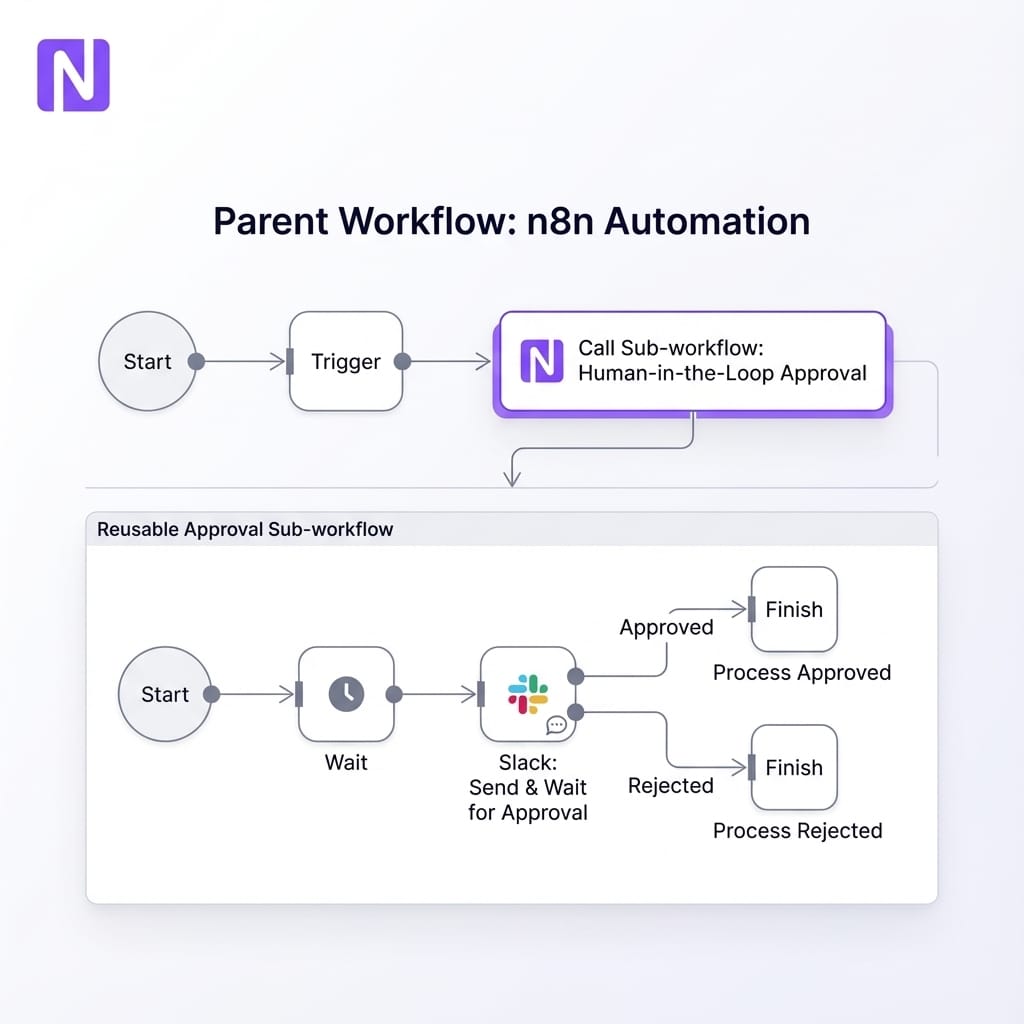
Pattern 1 – Central AI content approval service
Instead of embedding bespoke Slack approval steps in every workflow (marketing emails, sales sequences, support macros), create a single Content Approval sub-workflow.
Inputs from the parent might include:
{
  "contentType": "marketing_email",
  "draftBody": "<html>...</html>",
  "subject": "Welcome offer for Q4",
  "riskLevel": "medium",
  "sourceWorkflow": "sales-onboarding"
}
Inside the sub-workflow, you log the draft, send a Slack "Send and Wait for Approval" message, and wait. After the human acts, you normalise the outcome.
Output to the parent could look like:
{
  "status": "approved",         // approved | rejected | edited | timed_out
  "finalBody": "<html>...</html>",
  "reviewer": "alex@example.com",
  "reviewedAt": "2025-12-18T15:42:00Z",
  "reason": "Updated pricing paragraph",
  "auditId": "hitl-2025-12-18-00123"
}
With v2.0, the parent workflow genuinely waits. It can then branch cleanly: status = approved sends the message, while status = rejected halts or escalates.
Pattern 2 – Approval gates for high-risk operations
The same idea works for high-risk actions like issuing refunds, cancelling subscriptions, or changing pricing. You can build a “Policy Approval Gate” sub-workflow that:
- Receives a proposed action and justification.
- Records it in an audit table.
- Enriches the proposal with context (risk scores, history).
- Triggers a HITL step and waits.
- Returns a compact decision object.
Your parent workflows or AI tools then act purely on that decision. They never call destructive APIs directly without going through the gate.
Pattern 3 – Async AI and ML job orchestrator
For long-running external jobs like batch LLM scoring or video generation, move the polling logic into a Job Orchestrator sub-workflow:
- Step 1: Receive job descriptor.
- Step 2: Call external API to start job.
- Step 3: Expose a Wait node in “On Webhook Call” mode, passing
$execution.resumeUrlto the external system. - Step 4: When the system calls back, resume and fetch results.
Your parent workflow only ever sees a completed job with final results. No awkward polling loops required.
Migrating existing n8n workflows to v2.0
The v2.0 fix is excellent, but it changes behavior. A quick migration pass is worth the effort.
Finding impacted sub-workflows
Look for Execute Sub-workflow nodes with “Wait for Sub-Workflow Completion” enabled, where the target contains Wait nodes, Webhook waits, or HITL nodes. For these pairs, ask yourself: did you previously rely on the parent continuing without the result?
When to use fire-and-forget
Not everything should block. For logging, analytics, or non-critical notifications, turn off “Wait for Sub-Workflow Completion”. This keeps your main execution lean.
Observability, SLAs, and failure handling
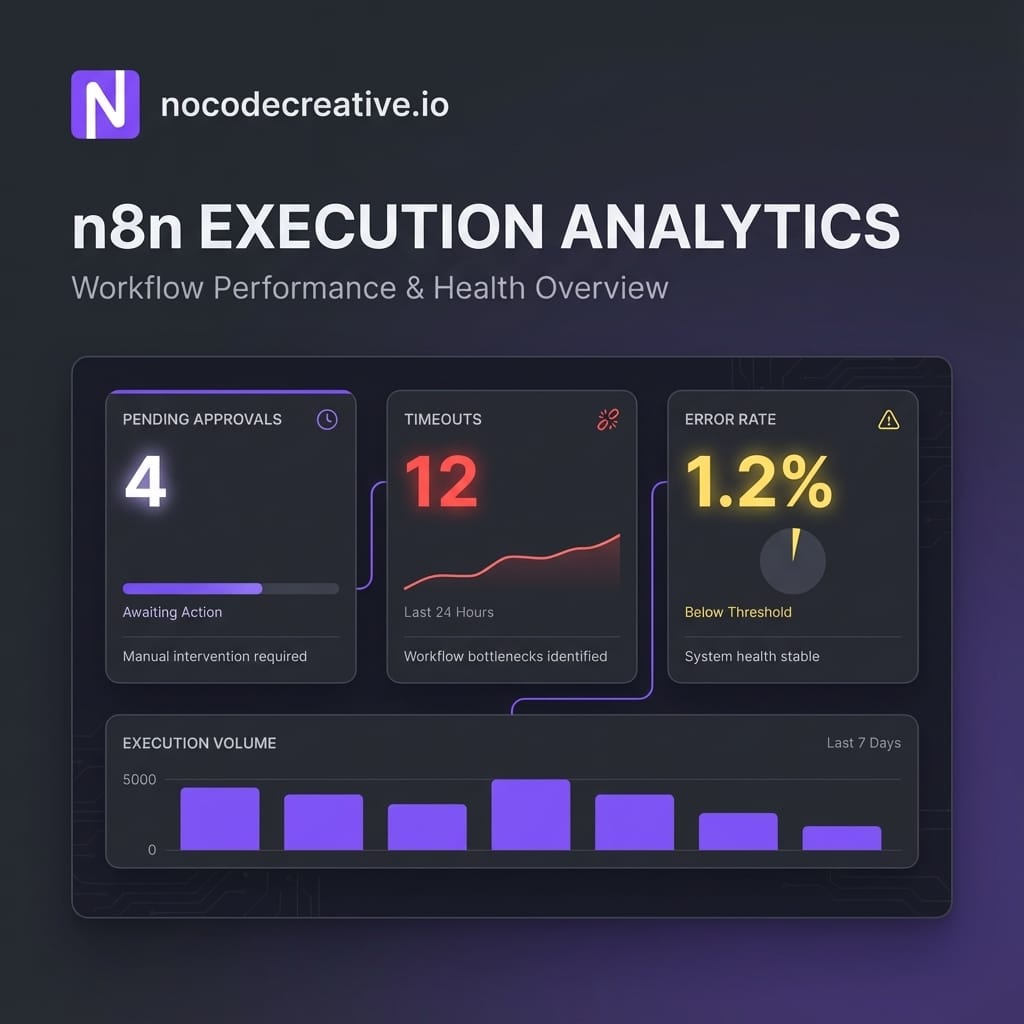
Once HITL logic lives in sub-workflows, you need to monitor it. Here are some practical tactics:
- Structured audit logs: Every HITL sub-workflow should write a record with
auditId,status, andapprover. This fuels dashboards showing SLA performance and bottlenecks. - Tracking pending approvals: Monitor "waiting" executions. In larger estates, feed this into n8n’s Insights to see when queues are backing up.
- Handle timeouts gracefully: Configure Limit Wait Time on Wait nodes. If an approval times out, escalate to a manager or apply a safe default (e.g., "auto-reject"), then mark the log as
timed_out.
How nocodecreative.io helps with n8n HITL architectures
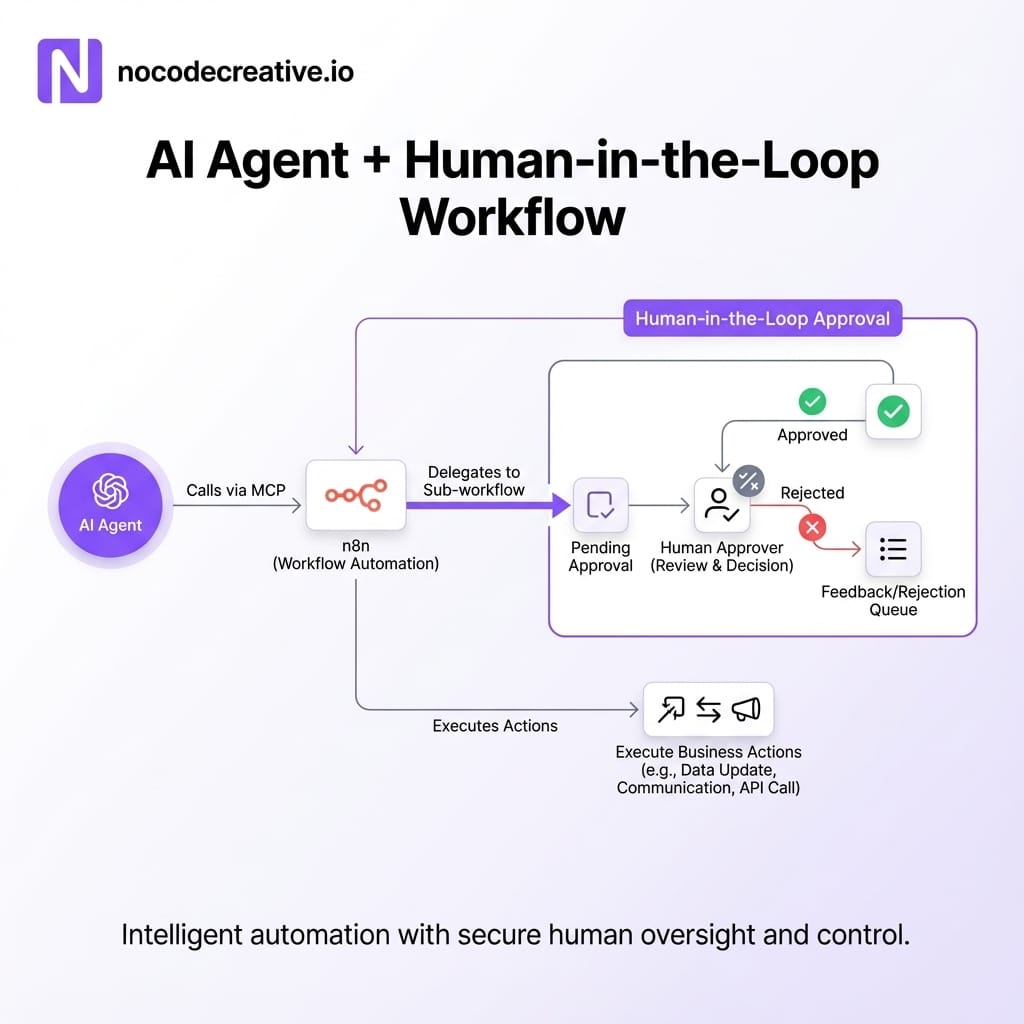
At nocodecreative.io, we treat n8n as a core automation fabric for AI, operations, and customer journeys. We implement robust patterns for:
- AI sales teams with structured human approvals.
- Risk and compliance layers acting as gates for refunds and KYC.
- Async AI pipelines on Azure orchestrated by n8n.
If you want to move towards this model, our team can help you design intelligent workflow automation tailored to your stack. Get in touch to discuss your automation needs.
Checklist to harden your n8n workflows
As a practical wrap-up, run through this simple checklist with your team:
- ✔ Identify every Execute Sub-workflow node with "Wait for Sub-Workflow Completion" enabled.
- ✔ Refactor these towards standardised sub-workflows that return a clean output object.
- ✔ Decide explicitly where you want fire-and-forget and turn off waiting there.
- ✔ Add structured audit logging and SLA timeouts for approvals.
Used well, the n8n v2.0 Wait node fix means you can finally treat HITL and long-running sub-workflows as first-class building blocks instead of fragile edge cases.
References & Resources

 Wayne Simpson
 Wayne Simpson


Discussion