

n8n Q1 2025 Upgrades: Quiet Power-Ups For Enterprise-Grade Automation
Quiet releases are often the ones that change how your team actually works.
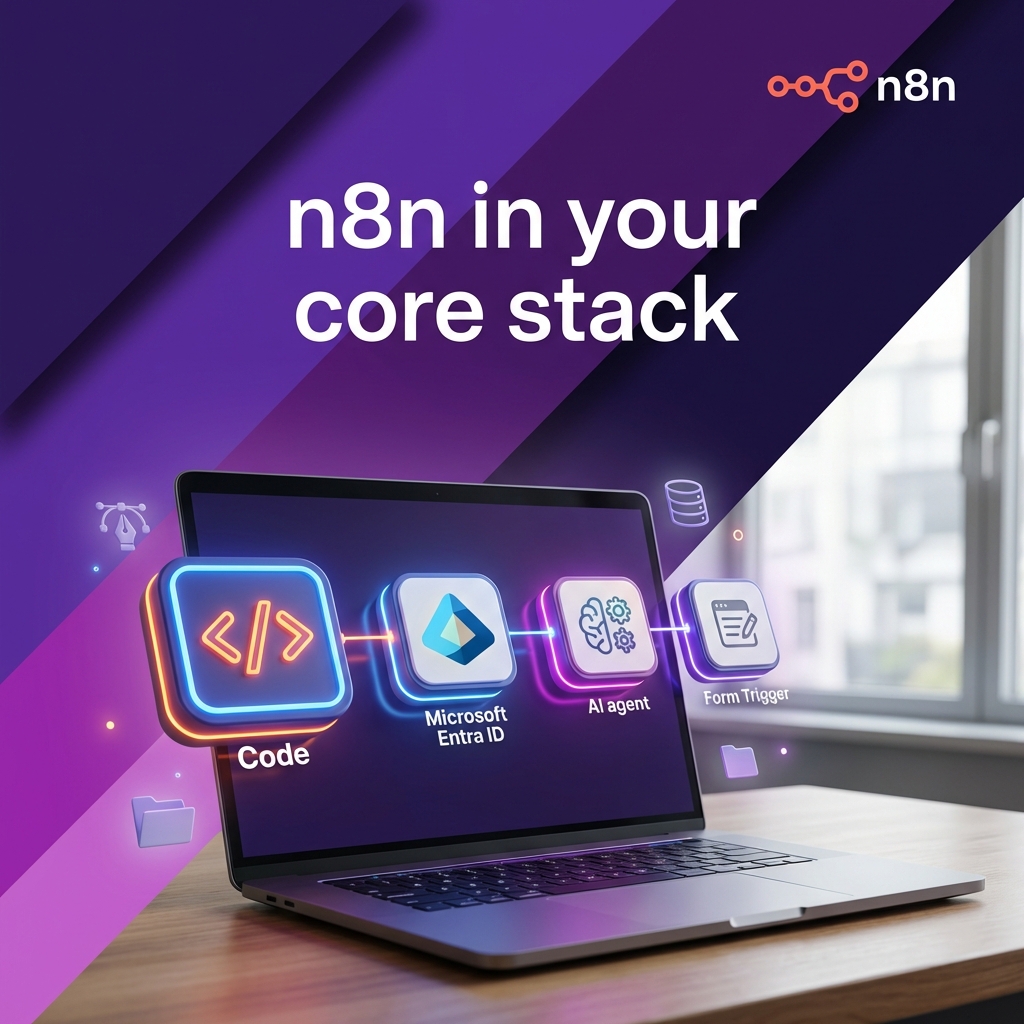
Across late 2024 and Q1 2025, n8n shipped a set of updates that move it from a "visual automation tool" toward "part of your core platform stack". The headlines are not flashy, but they are exactly what serious teams want: a proper Code editor, first-class Microsoft Entra ID integration, better AI Agent tooling with vector stores, safer partial executions, Schema Preview, folders, form improvements, and more.
At nocodecreative.io this is the layer we live in day to day, running production n8n estates for SMEs and enterprises, usually alongside Microsoft 365, Power Platform and Azure. These upgrades line up very neatly with the patterns we already implement for clients: identity automation, AI agents over internal data, and internal request portals that behave like proper software rather than a pile of forms and tickets.
This guide walks through what changed and, more importantly, how to turn those changes into concrete enterprise workflows.
Why These "Small" Updates Matter For Serious n8n Teams
If you already run n8n in production, you will recognise a few recurring pains. Workflows often behave differently in development versus production, and partial executions rarely match reality. Sprawling canvases become untouchable, identity flows get stuck in IT tickets or PowerShell scripts, and AI agents struggle to safely access internal data.
The recent releases tackle these exact issues in a highly targeted way. Improved consistency across environments helps Git-backed projects stay seamlessly in sync between staging and production. Simultaneously, scoped and multiple API keys provide safer separation of tenants, environments, and integrations.
Collaboration has also seen a massive upgrade. Features like Folders, Tidy Up, and Schema Preview make it realistic for multiple teams to work in the same instance without chaos. Developers receive a serious Code node editor, meaning they no longer feel like they are coding in a restrictive textbox. Furthermore, the Microsoft Entra ID integration brings high‑value identity workflows directly into n8n, while AI Agent enhancements allow vector stores to be wired in like a true agent framework.
None of these are gimmicks. They are the kind of foundational improvements that decide whether your n8n instance can be treated as reliable automation infrastructure rather than an overgrown side project.
January: Turning The Code Node Into A Built-In IDE
The Code node has always been the escape hatch for complex logic. With the new editor experience, it starts to feel like a lightweight IDE bolted directly into your n8n workflows.
TypeScript intelligence and quality-of-life upgrades
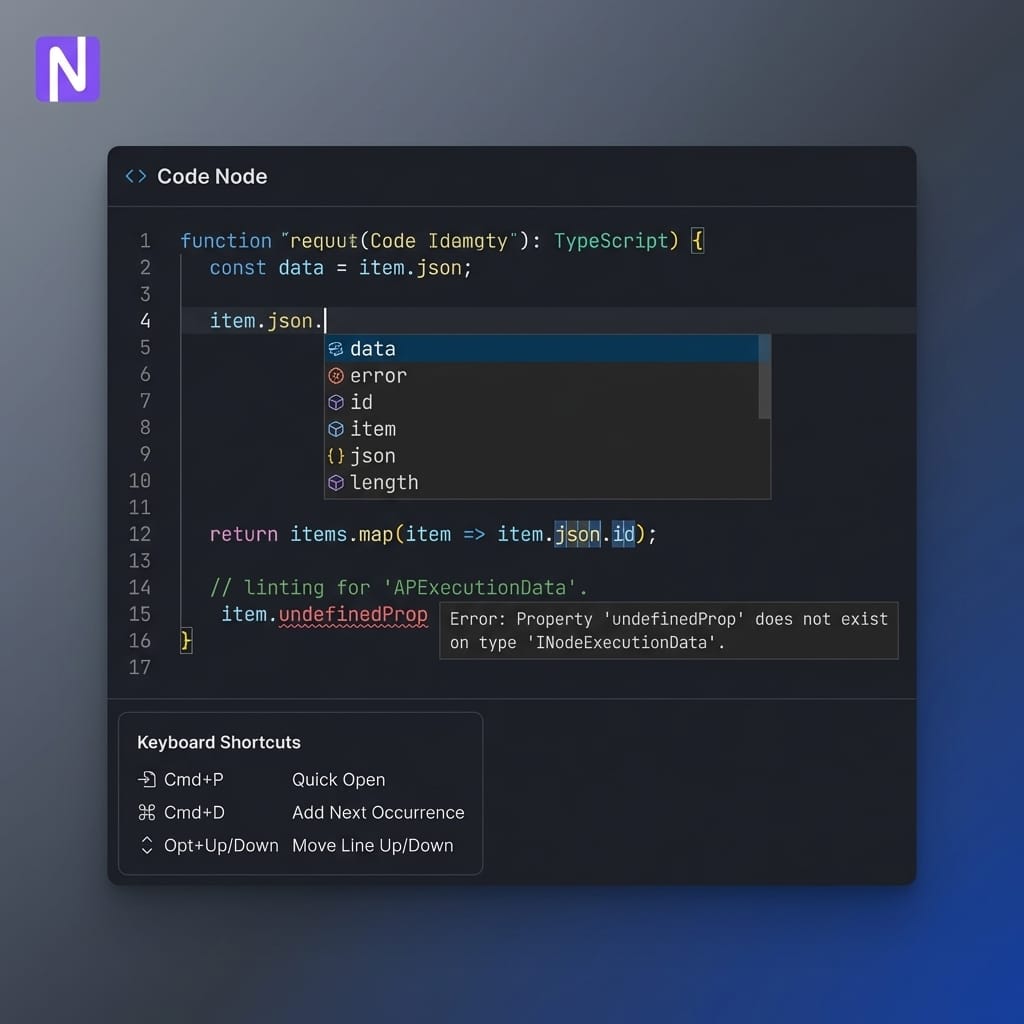
The upgraded editor now includes a modern TypeScript-aware experience. You receive autocomplete and inline hints the moment you start typing, linting that immediately flags issues, and hover tips that explain types and structures as you work. Because this runs in a web worker, it stays highly responsive even in larger scripts—removing the friction for teams who previously copied snippets out into VS Code just to get proper feedback.
Alongside this intelligence, the editor adds a set of features that sound small until you use them all day. You can now search and replace across the node's code, use multi-cursor editing for repetitive changes, and utilize code folding that is remembered between refreshes. Keyboard shortcuts closely match the VS Code keymap, and auto-formatting with Prettier requires just a single key combination. You also get drag-and-drop for all Code node modes and indentation markers, greatly improving readability in complex branches.
How this changes day-to-day development
Faster refactors: You can safely reshape data structures or helper functions directly in the node, with linting catching obvious mistakes before you run anything.
Better pairing and review: When reviewing workflows, it is now reasonable to treat Code nodes as first-class artefacts, not a blurry screenshot you have to paste elsewhere to understand.
Clearer boundaries: You can decide, node by node, which parts belong in "visual configuration" and which belong in "proper code", without bouncing between tools.
For our enterprise clients, we increasingly treat an n8n workflow plus its Code nodes as a coherent unit in Git. The new editor makes that a much more sustainable way to work.
January: First-Class Microsoft Entra ID Automation
If your organisation is Microsoft‑centric, the combination of Microsoft Entra ID (Azure AD) and n8n is where a massive amount of real value sits. The new Microsoft Entra ID node exposes the core operations you need to automate identity at scale. You can create, update, delete, and fetch users, as well as seamlessly manage group memberships and full group operations.
Paired with dedicated Microsoft Entra ID credentials, you can configure OAuth2, select the correct Microsoft Graph endpoint for global or government tenants, and set appropriate scopes for directory and access review operations. Crucially, this is not a thin wrapper over a single API call; it is a dedicated set of operations that map directly to how identity teams already manage users and groups.
Example Pattern: Automating Joiner / Mover / Leaver
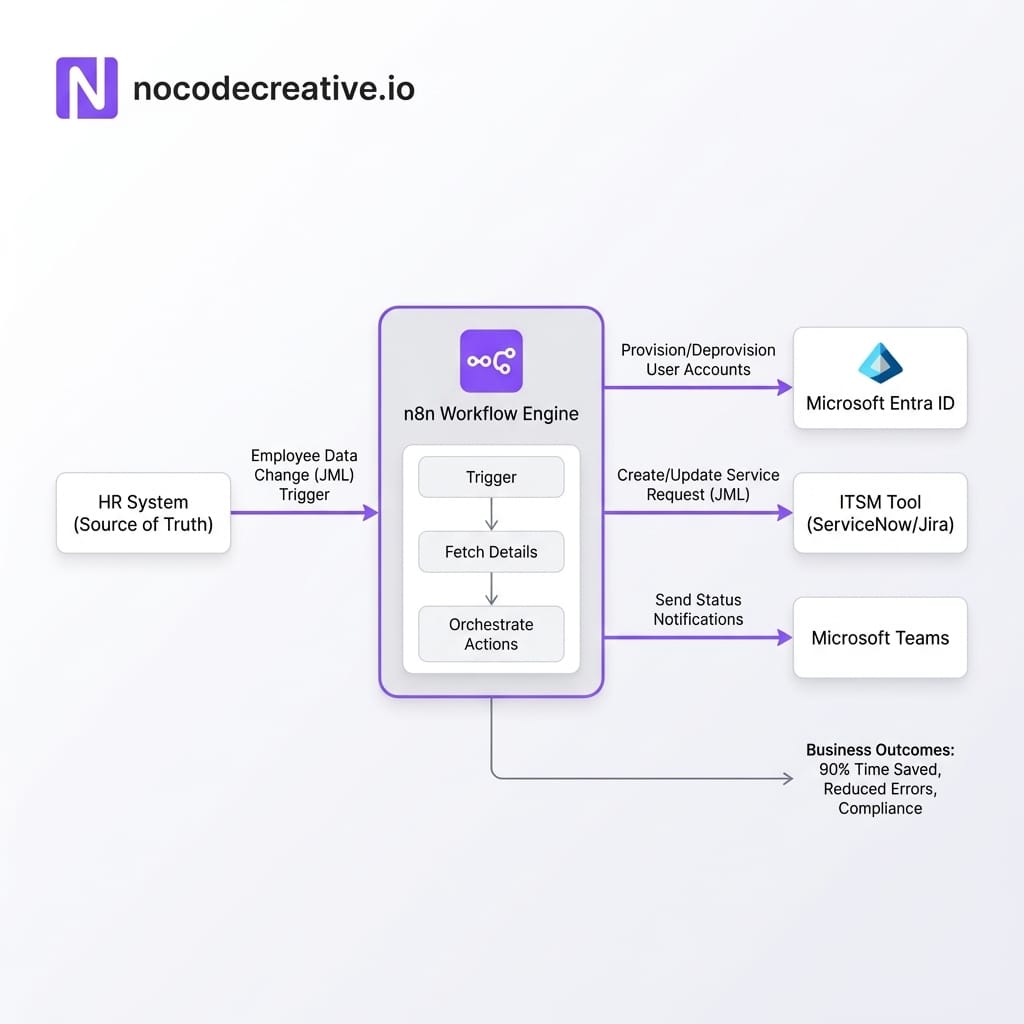
1. Trigger: A new starter, leaver, or role change is recorded in your HR system, a Power App, or a database row. That change instantly triggers an n8n workflow.
2. Policy Lookup: n8n reads a "role to group" mapping table (often in SharePoint, SQL, or Azure Table Storage) to determine which Entra ID groups the user should inhabit based on department, location, and seniority.
3. Identity Orchestration: Using the Entra ID node, n8n provisions the user if they are joining, modifies their groups accordingly, and flags any security anomalies—such as contractors landing in privileged groups.
4. Downstream Updates: The workflow automatically updates your ITSM tool, posts summaries into Microsoft Teams, and sends confirmations to relevant managers or HR staff.
5. Audit & Exceptions: Every decision is logged centrally into a data store or SIEM-friendly format, allowing you to easily demonstrate exactly who had access to what, and when.
You can start with a simple "happy path" and progressively add higher-risk branches, incorporating human‑in‑the‑loop approvals via Teams and n8n Wait nodes. At nocodecreative.io, we typically handle the group modelling, credential hardening, and logging design so these identity workflows fully satisfy both security and compliance teams—including strict UK and EU regulatory expectations.
Smarter AI Agents: Vector Stores As Tools
n8n's AI Agent node has grown into a serious orchestration surface. The recent release shifts agents from "calling an LLM with a prompt" to a robust framework where agents decide when to call dynamic tools that know about your internal systems and data.
The most significant addition is the ability to use vector stores as direct tools for the AI Agent. This allows an agent to call into a variety of vector-backed retrievers seamlessly. Furthermore, additional nodes can now be exposed as tools and workflow selection helpers, making it much easier to turn internal utilities into callable agent functions. You can standardise on backends like PGVector, Qdrant, Pinecone, or Supabase, exposing them as specialised domain tools for HR policies, access runbooks, or incident response.
Building an Identity Operations Assistant
By combining the AI Agent node, vector stores as tools, and the Entra ID node, you can build an internal assistant capable of understanding natural language requests like: "Show me all contractors currently in Finance-related groups," or "Prepare a deprovisioning plan for this user at end of day, and route it for approval."
A typical architecture involves chunking policy documents into a vector store. The AI Agent is then equipped with a Vector Store Question Answer Tool over that corpus, alongside the Microsoft Entra ID tool. Guardrails are baked into the prompt to ensure the agent treats any Entra actions as proposals that must strictly pass through approval workflows before execution.
If you want to accelerate this pattern, our team's work on n8n automation services for Microsoft-centric organisations is an ideal fit. You can learn more about how we approach intelligent workflow automation on the nocodecreative.io services site.
February: Partial Executions That Actually Match Production
Partial executions are one of n8n's most critical developer tools, particularly when working with complex loops, branches, and AI calls. The recent updates introduce an overhauled execution engine designed with one straightforward goal: running part of a workflow during the build phase should behave exactly like a real production run.
Partial executions now always require a trigger to properly mimic production environments. When you execute a step, it intelligently re-runs the selected node plus any required upstream nodes to accurately fill the input data. The engine also boasts significant performance improvements for partial executions inside loops, which is essential when iterating on array-heavy flows or agent toolchains.
For enterprise teams, the benefits are immediate and tangible. You experience lower costs with metered APIs, as you can iterate on a loop that calls an AI model or paid SaaS API without needlessly re-triggering upstream steps. There are far fewer test-versus-production mismatches, saving hours of debugging. Most importantly, it allows for highly confident refactors—you can change one part of a complex branch and validate the behavior in isolation using realistic data before shipping to production.
March: Building And Maintaining Workflows At Scale
As n8n instances grow, the real enemy is not a lack of features, but entropy. The Q1 2025 releases add several vital structural tools to directly tackle workflow sprawl and security management.
Folders & Organization
Folders now exist across personal spaces and projects, featuring full support for nested structures and search. This is transformative for teams previously drowning in hundreds of flat workflows. Organizing top-level folders by domain (Finance, Sales, Operations) and nesting specific projects aligns perfectly with how larger teams already manage ownership.
Tidy Up Action
The new Tidy up feature lets you automatically align nodes, neatens connections, and centers stickies across a whole canvas. Before code review or handover, you can transform a chaotic build canvas into a legible workflow in seconds, making it much easier to spot dead branches and unused nodes.
Scoped API Keys
The new API authentication model supports multiple API keys per instance with highly specific scopes. You can create separate keys for different CI/CD pipelines or teams, limit access strictly to reading executions or managing workflows, and rotate keys securely without breaking dependent systems. This is essential for treating n8n as shared infrastructure.
Schema Preview
Schema Preview allows you to see the expected output schema of many nodes without executing them or attaching live credentials. Builders can sketch out entire integrations—such as Salesforce or custom APIs—avoiding accidental writes or billable calls in the early design phase, which is particularly crucial when handling regulated data.
Form Trigger Enhancements
Moving far beyond a simple front door, the Form Trigger now supports robust field types including file uploads, hidden fields, and dates. It allows for custom HTML blocks and CSS for branding, along with flexible response handling. This effectively turns n8n forms into a viable building block for fully-fledged internal tools.
Reference Architectures And Patterns
These features truly shine when combined. Here are two reference patterns we consistently see working well in mid-market and enterprise environments.
Pattern 1: The Identity Hub
In many Microsoft-centric organisations, identity data is scattered across HR systems, Power Automate flows, and undocumented scripts. By consolidating into an "identity hub", n8n handles the heavy orchestration for joiner/mover/leaver processes.
The Microsoft Entra ID node safely executes user changes, while Power Platform handles lightweight departmental automations that call back into n8n for centralised logic. Azure functions or Logic Apps bridge any heavy compute gaps. This mix of Code nodes, AI agents, and Git-backed environments provides significantly better long-term maintainability than trying to force everything into Power Automate.
Pattern 2: Internal Request Portals
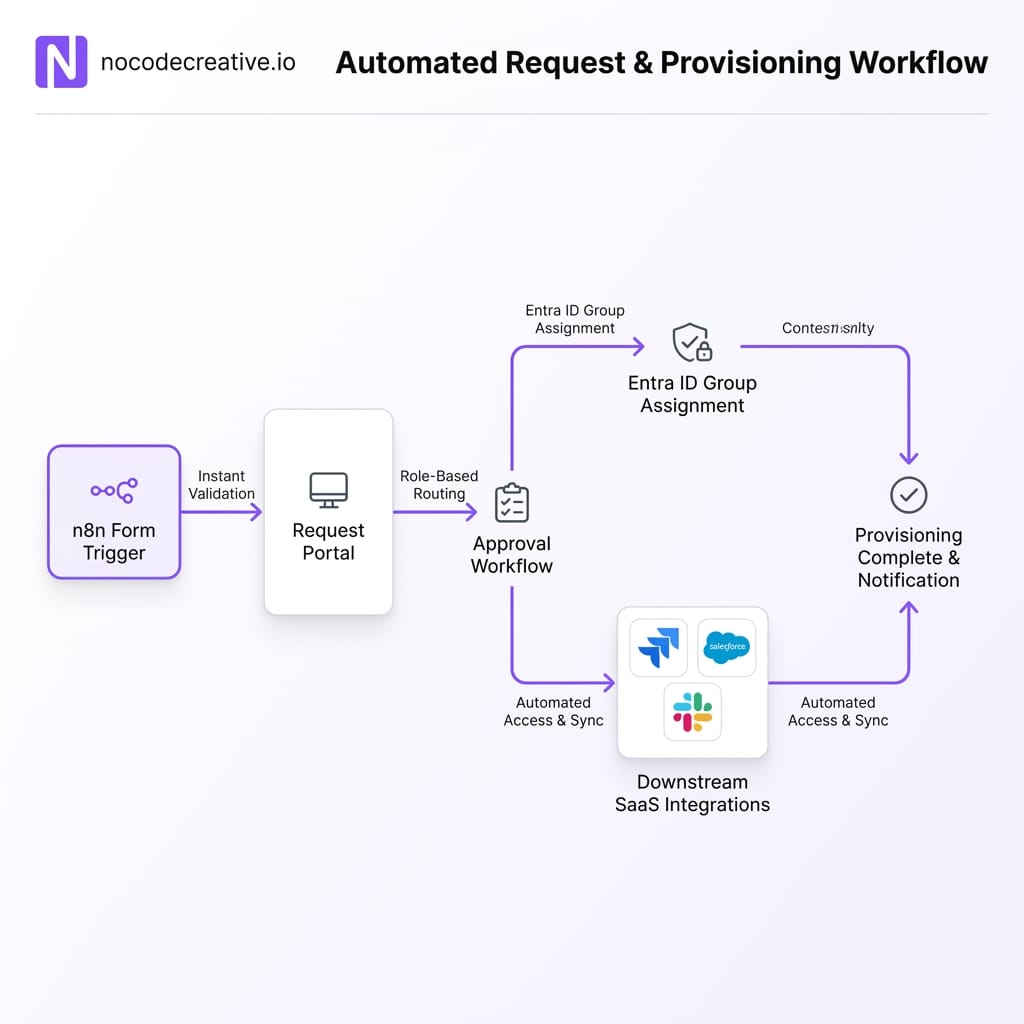
The upgraded Form Trigger makes it realistic to replace shared inboxes and basic SharePoint lists with a proper request system. You can deploy branded forms for new software access, data extracts, or marketing briefs.
Hidden fields route requests precisely by business unit. The core n8n workflow records the ticket in your ITSM, routes approvals via Microsoft Teams, and executes the change via Entra ID or other APIs upon approval—logging every step centrally. Features like Folders and Schema Preview ensure the underlying logic remains clean as adoption grows.
Implementation Playbook: Rolling This Out In 4–8 Weeks
For organisations already running n8n, a focused adoption of these features can be executed within a few sprints. In our client work, a structured 4–8 week programme ensures safe, impactful delivery.
Phase 1: Discovery and environment review
We audit existing workflows, review current identity and AI usage, and pinpoint the highest-value candidate workflows for Entra automation or form-driven portals.
Phase 2: Blueprint and reference patterns
Next, we define clear folder structures, environment strategies, and API key management policies. We agree on strict reference architectures for identity, agents, and request handling.
Phase 3: Build and iterate
We implement one or two core workflows end-to-end. Utilizing Schema Preview, partial executions, and the upgraded Code node allows for rapid iteration while completely protecting production data.
Phase 4: Hardening and handover
Finally, we add observability and logging tailored for your existing SIEM stack, tighten API scopes, and train internal teams to maintain the system effectively using the new visual organization tools.
Throughout this process, strong governance is paramount. Governance in n8n isn't just about access control; it's about structural clarity. Folders define ownership boundaries, Git-backed environments ensure clean promotion pipelines, and centralized logging provides security teams the visibility they require.
This is where nocodecreative.io frequently bridges the gap between "builder" teams and security functions, translating dynamic n8n workflows into robust architecture diagrams and policy documents.
Next Steps For Teams Upgrading n8n
If you are planning to upgrade or standardise on n8n in early 2025, begin by confirming your instance is running a version that includes the overhauled Code node editing, Entra ID integration, Vector Store tools, and the suite of new organizational enhancements like Folders and Schema Preview.
Next, establish a clear boundary for where n8n sits relative to other tools in your stack. Simple, single-system notifications might remain in Power Automate, whereas cross-system orchestrations, AI-heavy workflows, or identity-sensitive operations are ideally suited for n8n.
Finally, select one high-impact workflow to act as your trailblazer—perhaps a joiner/mover/leaver process, an internal operations AI assistant, or a robust request portal. Build it utilizing these new capabilities to ensure structure, logging, and governance are seamlessly integrated from day one. Once this foundation is laid, migrating or refactoring existing flows becomes exponentially easier.
If you would like a partner to guide that process and avoid the usual false starts, nocodecreative.io specialises in turning n8n, Microsoft 365, and Azure into a coherent enterprise automation platform. Get in touch to discuss your custom automation needs with our expert consultants.
References
- → Release notes pre 2.0 | n8n Docs
- → Microsoft Entra ID node documentation | n8n Docs
- → Microsoft Entra ID credentials | n8n Docs
- → Manual, partial, and production executions | n8n Docs
- → Schema Preview and data tables | n8n Docs
- → Form Trigger node documentation | n8n Docs
- → API authentication and API keys in n8n

 Wayne Simpson
 Wayne Simpson


Discussion