

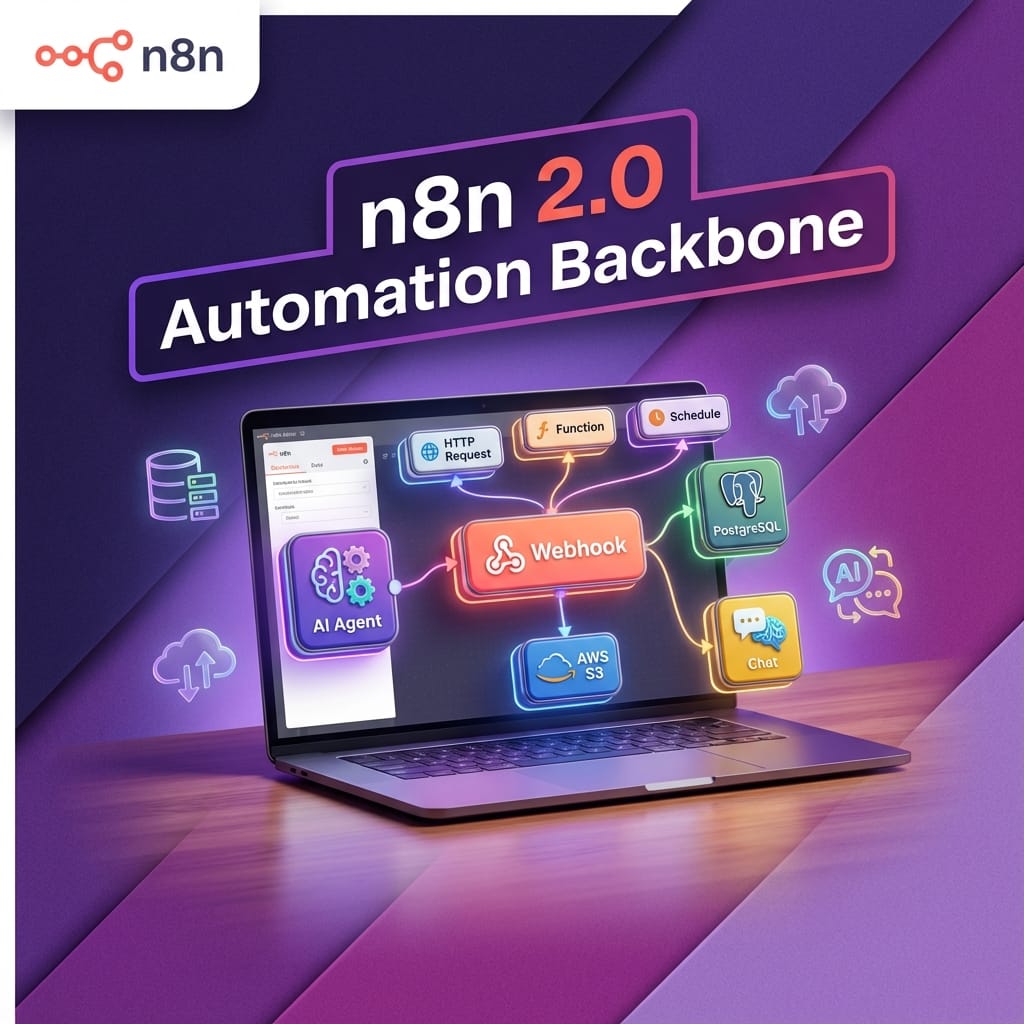
n8n 2.0 is the release where a lot of teams will decide whether n8n is a nice internal tool or a serious automation and AI platform they are prepared to run in production. At nocodecreative.io this is exactly the kind of decision point we help teams through, from migration planning to building out AI agents on top.
This guide walks through what actually changes in n8n 2.0, how to use the built‑in Migration Report to de‑risk the upgrade, and how to treat 2.x as a backbone for AI orchestration, not just another workflow engine.
Why n8n 2.0 matters for serious automation teams
n8n has grown up a lot since 1.0. Alongside weekly 1.x releases, it has become a common choice for teams that want to own their automation stack, run self‑hosted, and orchestrate AI agents against their own data and systems.
Version 2.0 is where the platform tightens its security defaults, simplifies data backends, and formalises Python and Code execution around task runners rather than a loose sandbox. It is still the same visual builder, but tuned for long‑lived, production workloads rather than experimental flows.
From side‑project helper to automation backbone
With 2.x in place, n8n sits more comfortably alongside tools like Power Platform, Azure Functions, and Logic Apps. The architecture has shifted significantly:
- Task runners are enabled by default so Code and Python run in isolated worker processes, not inside the main server.
- High‑risk nodes that touch the file system or shell are explicitly disabled until you opt in.
- Database support is narrowed to PostgreSQL and pooled SQLite, which is easier to harden and scale.
- Advanced AI features such as the AI Agent node, vector store integrations, and evaluation workflows are now mature enough to underpin support, marketing, or internal assistant use cases rather than isolated pilots.
For SMEs and mid‑market organisations this makes n8n a realistic automation backbone rather than just a power‑user Zapier replacement.
Release timeline, editions affected, and 1.x support
The 2.0 announcement from the n8n team set out a phased release, starting with a beta followed by 2.0.x as the first stable line. It is important to note that 2.0 applies everywhere—self‑hosted, Cloud, and Enterprise editions all pick up the same core behaviour changes.
Crucially, 1.x continues to receive bug and security fixes for three months after 2.x is released, then stops getting new features. The Migration Report tool and breaking‑changes documentation are already live, so you can audit and harden 1.x now rather than waiting for the day 2.0 lands.
In other words, there is a clear window where you can plan and execute an upgrade on your own schedule, rather than waiting for a forced cut‑over.
What actually changes in n8n 2.0
The 2.0 breaking‑changes guide is long, but the themes are consistent: better defaults for security, more predictable behaviour, and fewer legacy storage options.
Editor and UX improvements
On the surface, 2.0 introduces quality‑of-life changes in the editor that matter once you are operating dozens or hundreds of workflows. You will notice a refreshed canvas and sidebar (the new canvas work from the 1.7x–1.8x line becomes the default), and autosave is arriving shortly after 2.0, which greatly reduces the risk of losing changes during long debugging sessions.
Additionally, a consolidated logs view at the bottom of the canvas allows you to trace executions—including AI tool calls and sub‑workflows—without bouncing between modals. While these aren't breaking changes, they offer a good opportunity to clean up large, tangled workflows as you go.
Core security and behaviour changes
The most important 2.0 changes are security defaults and execution behaviour. Here are the highlights:
Environment variables blocked in Code by default
N8N_BLOCK_ENV_ACCESS_IN_NODE now defaults to true. Code nodes can no longer freely read environment variables. Secrets should be passed in as credentials or controlled configuration, not pulled arbitrarily from the host.
Task runners enabled by default
Code execution is moved to task runners rather than the main process. In 2.0, task runners are on by default and the legacy inline execution path is removed. For external mode, you now use the n8nio/runners image rather than relying on runners baked into the main container.
Python Code moves from Pyodide to native runners
The old in‑browser Pyodide‑based Python node is removed. The new native Python node has different behaviour around built‑in variables and syntax, so existing Python scripts need review and possibly refactoring.
High‑risk nodes disabled by default
Nodes such as ExecuteCommand and LocalFileTrigger are now disabled via configuration out of the box. You must explicitly remove them from the disabled list if you really need them, ideally in tightly controlled environments.
OAuth callbacks require authentication
N8N_SKIP_AUTH_ON_OAUTH_CALLBACK changes to false. OAuth callback endpoints now require an authenticated session by default, closing off a category of attacks relying on unauthenticated callbacks.
File system access is constrained
N8N_RESTRICT_FILE_ACCESS_TO gains a sensible default pointing at the ~/.n8n-files directory. File‑related nodes can only touch files in that path unless you deliberately widen the configuration.
Taken together, these changes are not about adding shiny features; they are about ensuring a compromised workflow or curious user cannot wander across your host system or secrets by mistake.
Infrastructure and storage changes
The other significant set of changes affects the data and infrastructure layer:
- MySQL and MariaDB support is dropped. You must migrate execution and metadata storage to PostgreSQL or SQLite before upgrading.
- Legacy SQLite driver is removed. The pooled SQLite driver becomes the only option, using WAL mode and a dedicated pool of read connections for better performance.
- In‑memory binary data mode goes away. Binary data is now stored on the filesystem, database, or S3. The legacy memory mode is removed to prevent memory explosions.
- n8n --tunnel is removed. You now need to use ngrok, Cloudflare Tunnel, or similar for public testing of webhooks.
If you are already operating n8n in queue mode with PostgreSQL, S3 binary storage, and external task runners, much of this will feel like the platform catching up with how you are already running. For smaller, all‑in‑one Docker installs, it is the ideal moment to decide whether you stay on a single host or graduate to a slightly more structured architecture.
Understanding the v2.0 Migration Report tool
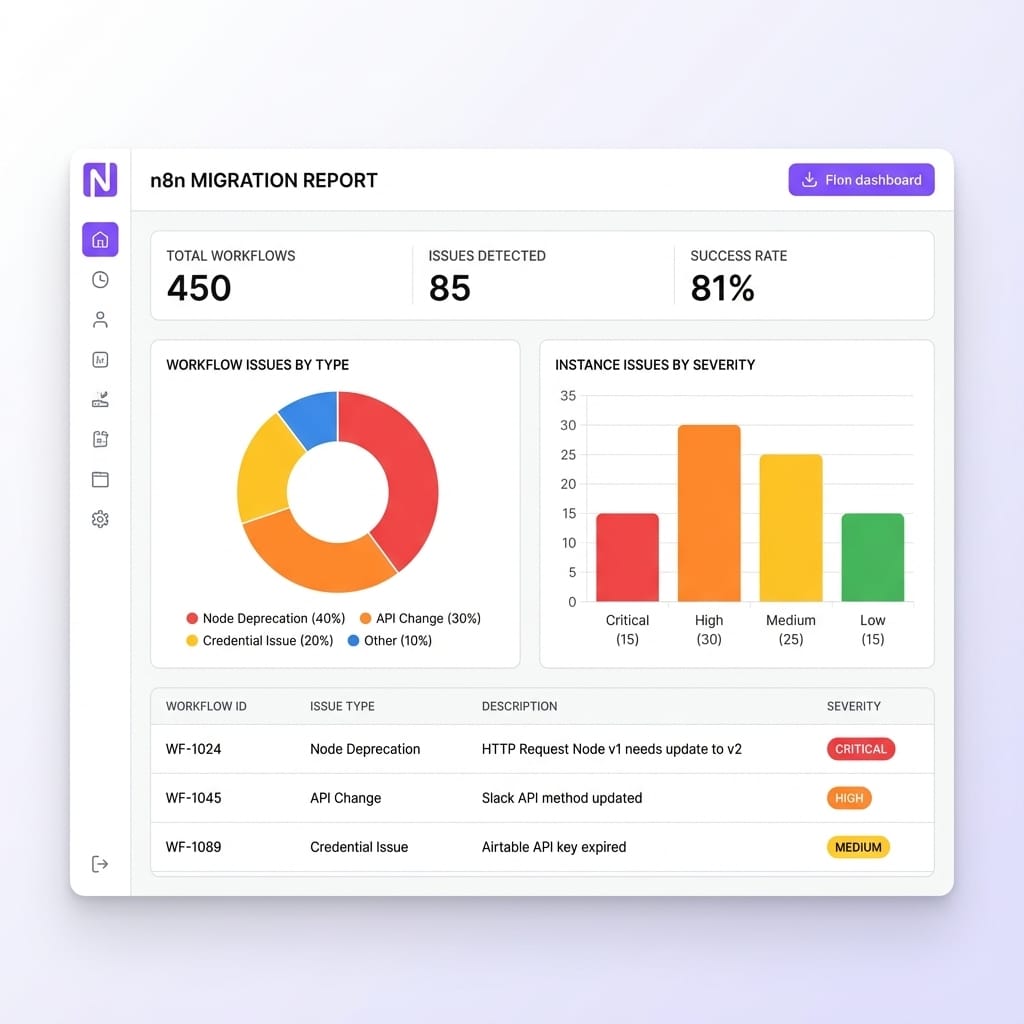
n8n ships something extremely useful alongside 2.0: a built‑in Migration Report under Settings > Migration Report. It turns “grep the database and pray” into a repeatable pre‑flight check.
Only global admins can access it, which is sensible as it exposes instance‑wide configuration details. When you open it, you receive a summary like “X out of Y workflows are compatible with n8n 2.0”. Underneath, it splits findings into Workflow issues (affecting specific flows) and Instance issues (affecting global config).
Behind the scenes, it checks your workflows against the official breaking‑changes list: database driver use, risky nodes, Code and Python usage, OAuth callback configuration, file access, and more.
Recommended remediation flow
The docs outline a sensible workflow for using the tool:
- Initial assessment: Review the overall compatibility summary so you understand roughly how much work sits between you and a clean upgrade.
- Sort by severity: Tackle Critical issues first, particularly those on high‑volume or business‑critical workflows. Then move on to Medium and finally Low.
- Fix workflow issues: For each issue, jump into one affected workflow at a time, adjust nodes or configuration, and test in a non‑production environment.
- Address instance issues: Update environment variables, database configuration, file paths and OAuth settings on your staging or test instance so they match your intended 2.0 posture.
- Re‑scan and verify: Use the Refresh option or reload the page to run the scan again. Once the report shows no remaining Critical issues, you are in a sensible place to plan a production upgrade.
A practical n8n 2.0 upgrade runbook
The exact details will differ between organisations, but most SMEs and enterprises can follow a common pattern.
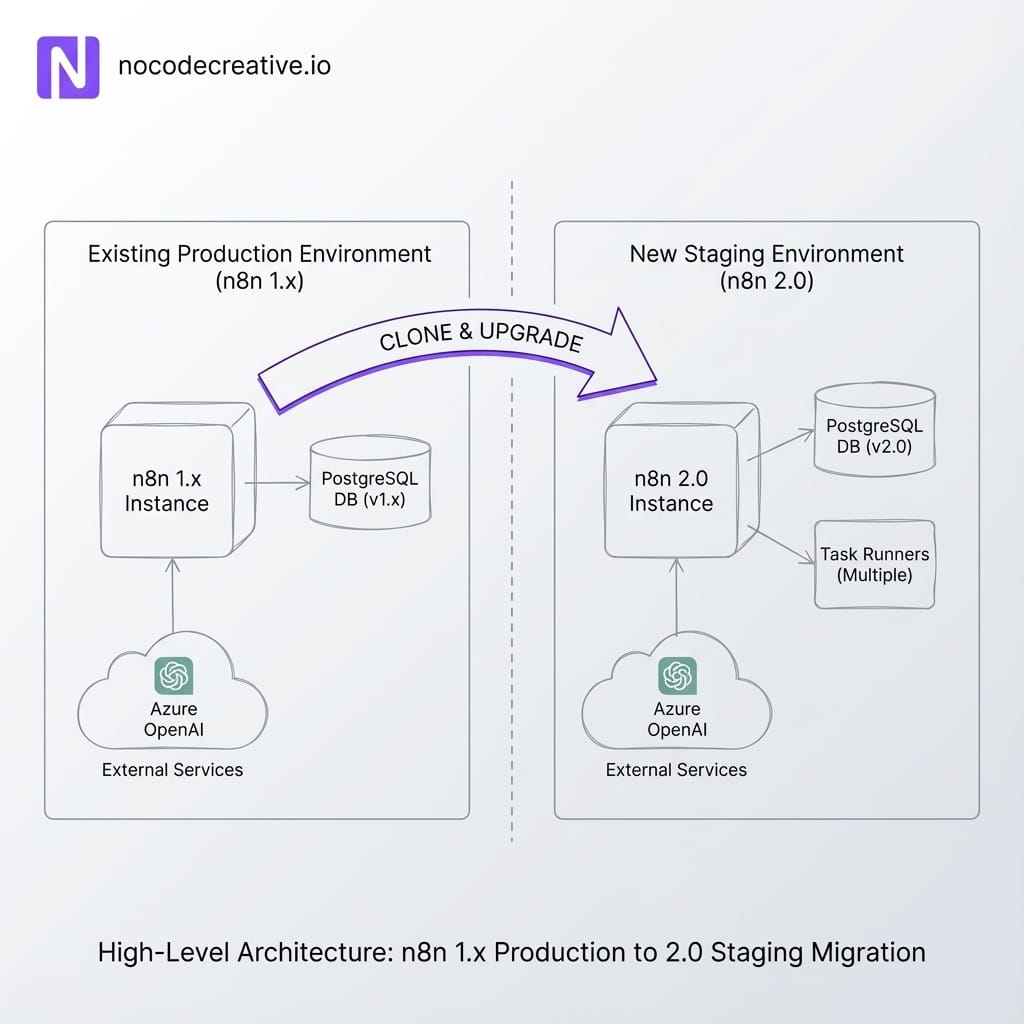
1. Clone production into a staging environment
Start by taking a faithful copy of production. Duplicate your n8n instance configuration into a staging environment using your standard deployment method (Docker, Kubernetes, VM). Restore a copy of the production database so you have realistic workflows and history. If you use Git‑backed environments in n8n Enterprise, make sure staging tracks the same branch as production, then branch off for your 2.0 work.
2. Migrate databases from MySQL or legacy SQLite
If you are still on MySQL, MariaDB, or the legacy SQLite driver, you must move before 2.0. Use n8n's data migration tooling to export entities and import them into PostgreSQL or SQLite pooled. For Azure‑centred estates, Azure Database for PostgreSQL is usually the cleanest destination.
3. Test task runners, Python migrations and risky nodes
In staging, enable the 2.0 behaviours ahead of time. Turn on task runners and run your Code nodes against them. Switch existing Python Code nodes to the new native Python mode and fix scripts relying on Pyodide quirks. Review every workflow using ExecuteCommand or file-system nodes and decide which to keep.
4. Plan change management and rollback
Treat the cut‑over like any other production change. Choose a maintenance window, communicate with teams relying on workflows, and document a rollback plan that restores the 1.x instance and database if you hit an unexpected blocker.
Need expert help? If you want help writing and executing that plan, nocodecreative.io regularly delivers zero‑downtime migration projects for tooling like n8n alongside Microsoft 365 and Azure estates. See our approach in our AI and automation implementation services.
Using n8n 2.x as an AI orchestration layer
Once you have a secure, reliable 2.x runtime, you can sensibly lean into n8n’s AI features rather than running them as side experiments.
Core Concept: AI Agent Node
n8n’s AI Agent node wraps a large language model with a system prompt, a list of allowed tools (HTTP APIs, vector stores, other workflows), and optional memory (Redis, PostgreSQL). You wire the agent into chat interfaces or webhooks and let it orchestrate calls into your stack rather than writing a brittle chain of prompts.
Example 1: Support triage agent with RAG
For a support triage scenario, a typical n8n 2.x workflow might start from a Chat Trigger or helpdesk webhook. It captures metadata in a data table, then hands off to an AI Agent configured with:
- A chat model (OpenAI, Azure OpenAI, Gemini).
- Vector store tools for retrieval‑augmented generation (RAG) against documentation.
- A tool that creates or updates helpdesk tickets.
The agent looks up docs, drafts a response, and decides whether to auto-reply or escalate. Because this runs on the hardened 2.0 runtime, you aren't gambling infrastructure on a single prompt.
Example 2: Content repurposing from YouTube
On 2.x, media workflows become repeatable content engines. Trigger on a new YouTube video, pull the transcript, and pass it through an AI Transform node to generate blog outlines, LinkedIn posts, and thumbnail ideas.
Because binary data is now handled via file‑system or object storage rather than in‑memory blobs, processing long videos or high‑res assets won't silently exhaust the host.
Example 3: Internal Chat Assistant
Use n8n 2.x as the orchestration layer behind WhatsApp or web chat assistants. Route messages into an AI Agent equipped with tools for looking up CRM data, running internal reports, and creating tasks.
Here, the stronger OAuth callback rules and audited task runners in 2.0 significantly reduce the blast radius if somebody tries to turn a “helpful” assistant into a shell.

How we help teams adopt n8n 2.0 safely
If your team is already stretched running Microsoft 365, Azure, Power Platform, and internal systems, you may not have spare cycles to become n8n migration experts. That is where a specialist partner helps.
A typical engagement at nocodecreative.io starts with an assessment and migration audit. We inventory your instances, interpret the Migration Report, and produce a phased plan.
We then help design an architecture matching your security posture—choosing between single‑node or horizontal worker setups, placing databases correctly in network zones, and locking down high‑risk nodes.
Finally, we co‑design AI workflows that actually ship. We work with your business teams to create prompts and guardrails, ensuring your AI agents behave according to policy. You can see the outcomes of this approach in our AI and automation case studies.
Next steps: turning n8n 2.0 into a managed project
To prepare for n8n 2.0 without disruption, treat it as a small, structured programme:
- Set up a staging clone and run the Migration Report.
- Agree on your target database and task runner architecture.
- Migrate legacy databases to PostgreSQL or pooled SQLite.
- Fix Critical workflow issues, then Medium, then Low.
- Pilot one or two AI orchestration use cases on the hardened stack.
Handled this way, you come out of the exercise with a cleaner security posture and a clear platform for AI‑driven automation.
Ready to start? Our expert AI consultants can help you implement these workflows. Get in touch to discuss your automation needs.
References
- Announcing n8n version 2.0 – coming soon! (community post)
- n8n v2.0 breaking changes documentation
- n8n v2.0 Migration Report tool
- n8n release notes
- Tutorial: Build an AI chat agent with n8n
- OpenAI + YouTube automation with n8n

 Wayne Simpson
 Wayne Simpson
 Wayne Simpson


Discussion